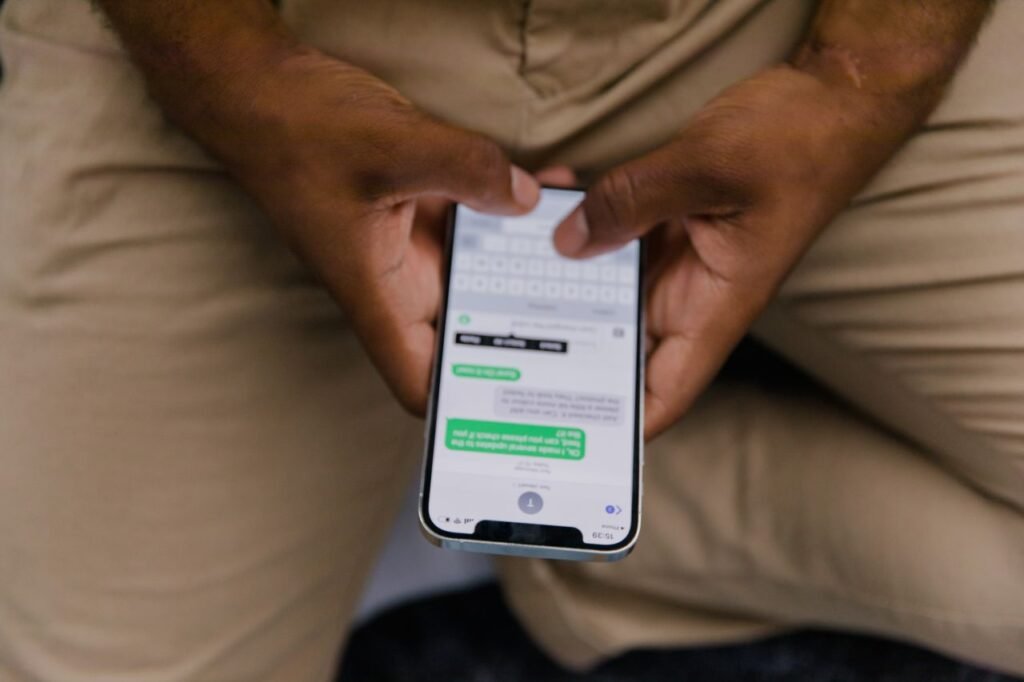
Introduction: The Shop That Lives in Your Customer’s Pocket
In Pakistan, the first message a buyer sends is rarely an email or a website enquiry. It is a WhatsApp message: “Price?”, “Available hai?”, “COD available hai?” For thousands of small sellers — from a home-based baker in Lahore to a lawn-suit reseller in Faisalabad — WhatsApp is not just a chat app. It is the shopfront, the cashier, and the customer service desk rolled into one.
That is exactly why WhatsApp Business matters in 2026. The free Business app gives sellers tools the regular app does not: a product catalogue, automated greetings, quick replies, labels for organising orders, and a business profile that builds trust before a single rupee changes hands. Used well, it turns scattered chats into a real sales system. Used carelessly, it creates the two problems that sink most small sellers: getting flagged for spammy broadcasts, and losing money on cash-on-delivery (COD) orders that never get collected.
This guide walks through the full setup — catalogue, broadcast rules, order tracking on chat, and COD pitfalls — with a Pakistan-specific example throughout. No earnings promises, no shortcuts: just a system you can run from your phone.
Why WhatsApp Business Works So Well in Pakistan
Three facts explain why WhatsApp, more than any marketplace, fits how Pakistanis actually buy:
- Everyone is already there. Buyers do not need to download a new app or create an account. If they can message a relative, they can message your shop.
- Trust is built in conversation. Pakistani buyers, especially first-time ones, want to ask questions before paying. A quick, polite reply in Urdu or Roman Urdu closes more sales than a polished product page.
- It pairs with every other channel. Your Daraz listing, Facebook page, or Instagram reel can all funnel buyers to one WhatsApp number where the actual sale happens.
The catch is that WhatsApp Business is a messaging tool, not a marketplace. There is no built-in payment protection, no escrow, and no automatic refund system. Your rules — about payment, delivery, and returns — are your protection. Write them down, put them in your catalogue descriptions and automated messages, and apply them consistently.
Step 1: Set Up Your Business Profile Properly
Before you post a single product, complete your business profile. Buyers judge a seller in seconds, and an empty profile looks like a temporary number.
- Business name: Your shop name, exactly as it appears on your Facebook page or packaging.
- Category: Pick the closest fit (e.g., Clothing, Food, Retail).
- Description: One or two lines: what you sell, your city, and your delivery coverage. Example: “Handmade lawn suits stitched in Faisalabad. Delivery across Pakistan via courier. COD available.”
- Address and hours: Even home-based sellers should list a city and reply hours (“Replies 10 AM – 10 PM”). It sets expectations and reduces late-night “seen” frustration.
- Email and website: Add them if you have them; a link to your Facebook page or Daraz store adds credibility.
Add a clear profile photo — your logo or a clean photo of your best product, not a personal selfie. This small detail separates a shop from a random number.
Step 2: Build a Catalogue That Sells Without You
The catalogue is the single most valuable WhatsApp Business feature for a seller. Instead of re-typing prices and re-sending the same photos fifty times a day, you create each product once and share it in one tap.
What a good catalogue item includes
- 4–5 photos: Front, back or side, fabric/detail close-up, size reference, and packaging. Natural daylight beats a filtered photo — buyers distrust pictures that look too edited.
- Honest title and price: Include the size or variant in the title where it matters (“Lawn 3-Piece – Medium – Rs. —”). If your price changes with size, say so in the description rather than posting a misleading single price.
- Description that answers the top three questions: Material, sizes available, and delivery time. Example: “Pure lawn, 3-piece stitched suit. Sizes S–XL. Delivery in 3–5 working days nationwide.”
- Product code: Give each item a short code (“LS-014”). When a buyer writes “LS-014, Large”, you know exactly what they want — no screenshot archaeology.
Update the catalogue the moment something sells out. Nothing damages trust faster than confirming an order for an item that no longer exists. Hide out-of-stock items instead of deleting them, so you can bring them back when restocked.
A Pakistan-specific example: Ayesha’s home bakery in Lahore
Ayesha sells brownies and custom cakes from her home in Lahore. Her catalogue has just twelve items, but each one is complete: a photo of the actual product (not a stock image), weight, price, and a note — “Order 24 hours in advance; delivery within Lahore only.” Her automated greeting message says the same thing. Because her catalogue answers the repeat questions, she spends her chat time on real orders, not on repeating prices. Her rule is simple: no advance, no booking for custom cakes — and because that rule is written in the catalogue description, customers rarely argue with it.
Step 3: Broadcast Rules — Reach Many Buyers Without Getting Flagged
Broadcast lists are where most sellers get into trouble. WhatsApp treats mass messaging very differently from a group chat, and breaking its rules can restrict your number.
Broadcast vs group vs Status: what to use when
| Channel | Best for | Key rule to remember |
|---|---|---|
| Broadcast list | Offers and new arrivals to existing customers | Only contacts who saved your number receive it |
| Group | A community (e.g., a VIP buyers group) | Members see each other’s numbers; keep it small and opt-in |
| Status | Daily updates, behind-the-scenes, flash stock | Visible for 24 hours; no spam risk, but easy to miss |
| One-to-one chat | Orders, payment, and support | Always the safest place for anything transactional |
The broadcast rules that keep your number safe
- Only message people who saved your number. A broadcast only delivers to contacts who have saved you. Sending to cold numbers does nothing except waste effort — and if recipients report you, your number can be restricted.
- Build the list, don’t buy it. Never buy a phone-number list. Those recipients did not ask to hear from you, and reports from them are the fastest route to a ban. Grow your list from real buyers and people who messaged you first.
- One or two broadcasts a week, maximum. Daily “SALE SALE SALE” messages train customers to mute you — or block you. A weekly new-arrival or offer message performs better than daily noise.
- Make every broadcast useful. Lead with the offer, not a greeting essay: “New lawn collection is live — catalogue link below. Reply with the product code to order.” Then stop.
- Always include an opt-out. A simple “Reply STOP to unsubscribe” line costs nothing and keeps your list warm. Customers who stay are customers who actually want your messages.
- Never move a conversation off WhatsApp to dodge accountability. If a buyer wants to pay, keep the payment conversation in the same chat where the order was agreed, so both sides have a record.
Step 4: Track Orders on Chat Without Losing Them
WhatsApp has no order dashboard, so sellers need a simple system. The built-in labels feature is enough for most small shops:
- New order (yellow): order confirmed, payment pending
- Paid (green): advance received, ready to dispatch
- Dispatched (blue): handed to courier, tracking shared
- Delivered (grey): completed
- Issue (red): return, exchange, or complaint
Combine labels with quick replies for the messages you send fifty times a day: price list, delivery charges, bank details, tracking format, and return policy. Type “/” and the shortcut does the rest. This is the difference between a seller who replies in two minutes and one who replies in two hours — and in Pakistan’s fast-moving chat commerce, reply speed often decides the sale.
Keep a simple daily habit: every evening, check the “New order” label and make sure no unpaid order is older than 24 hours without a follow-up. One polite reminder (“Assalam-o-Alaikum, your order LS-014 is reserved until tonight — shall I confirm it?”) recovers sales that silence would lose.
Step 5: Cash-on-Delivery Pitfalls — and How to Handle Them
COD is the reason many Pakistani buyers order at all — but it is also the biggest source of losses for small sellers. The pitfalls are predictable, so they can be planned for.
Pitfall 1: Refused or uncollected parcels
The buyer does not answer the courier’s call, or refuses the parcel at the door. You still pay the return shipping, and your stock is tied up for days. The fix: confirm every COD order on chat before dispatch — “Please confirm your full address and that you will receive the parcel” — and take a small advance (even Rs. 200–500 via JazzCash or Easypaisa) for first-time buyers or high-value orders. Genuine buyers rarely object; refusal-prone ones often disappear at this step, which is exactly the point.
Pitfall 2: Wrong addresses and unreachable numbers
A misspelled address or a switched-off number means a failed delivery. The fix: copy the address exactly as the buyer typed it, and read it back to them for confirmation before booking the courier. One extra message saves one returned parcel.
Pitfall 3: COD fees and delayed settlement eat your margin
Couriers charge for COD handling, and COD settlements arrive days or weeks after delivery — unlike an advance payment that is in your account immediately. The fix: build the courier’s COD charge into your price or delivery fee, and track which orders are COD vs advance in your labels so your cash flow is never a surprise. Check the courier’s current COD fee and settlement schedule in your courier account before quoting delivery charges — fees change, and quoting last year’s rate is a loss.
Pitfall 4: “Product is different from the photo” disputes
With COD, the buyer inspects at the door and may refuse on the spot. The fix: real photos (not stock images), accurate colour descriptions (“dark teal, may look slightly different in indoor light”), and the exact size chart in the catalogue. When a genuine mistake is yours, a quick exchange offer protects your reputation far better than an argument.
Pitfall 5: Fake orders and prank bookings
Repeated fake COD orders from the same number are a known headache. The fix: after one refused parcel, require advance payment from that number for future orders. State the policy politely and apply it to everyone — consistency is what makes it fair.
Growing Beyond WhatsApp: Your Next Channels
WhatsApp is a brilliant sales desk, but a shop that lives only in chats is fragile — one restricted number and your customer list is gone. Use WhatsApp as the closer, and build at least one more channel alongside it: a Facebook page for discovery, a Daraz store for marketplace traffic, or a simple catalogue site. Read our beginner guides to selling on Daraz from Pakistan and selling digital products on Gumroad, and if you plan to hire help with posting and replies, our guide to becoming a social media manager in Pakistan covers the skills to look for.
Premium Digital Products
If you are building a selling system like the one in this guide, these ready-made resources can save you weeks of trial and error:
- Freelancer Business Kit ($14.99) — invoicing, client paperwork, and pricing templates for running your selling operation properly.
- Creator Growth Bundle ($19.99) — content and growth systems for promoting your products on social media and driving buyers to your WhatsApp.
- 100 Viral Content Prompts ($9.99) — ready content ideas for daily product posts, Status updates, and broadcast messages that actually get replies.
Frequently Asked Questions
Is WhatsApp Business free?
Yes, the WhatsApp Business app is free. There is also a paid WhatsApp Business Platform (API) for larger companies, but small sellers do not need it — the free app covers catalogue, labels, quick replies, and automated messages.
Can I use my personal number for WhatsApp Business?
You can convert a personal number, but it is better to keep a separate business number. It protects your privacy, keeps business chats organised, and means a restriction on one account does not lock you out of personal chats.
How many people can I add to a broadcast list?
A broadcast list holds up to 256 contacts. If your customer list grows beyond that, split it by category (for example, “Lawn buyers” and “Cake customers”) — segmented lists also let you send more relevant offers.
Do broadcast messages reach people who have not saved my number?
No. Broadcasts are only delivered to recipients who have saved your number in their contacts. This is the single most misunderstood rule, and the reason sellers should ask happy customers to save the shop number.
Should I offer COD or advance payment only?
Most Pakistani sellers offer both: COD for local, lower-value orders where trust is still building, and advance payment (JazzCash, Easypaisa, or bank transfer) for custom, high-value, or first-time orders. Whatever you choose, state it in your catalogue and greeting message so there are no surprises.
What should I do if my WhatsApp Business number gets restricted?
Stop all broadcast activity immediately, wait out the restriction, and review what triggered it — usually bulk messaging to non-saved numbers or too many reports. When you resume, message only existing customers, slowly, and keep every broadcast opt-in.
Conclusion: A Shop, Not Just a Chat App
WhatsApp Business rewards sellers who treat it like a real shop: a complete catalogue, honest photos, clear rules, polite follow-ups, and a COD policy that protects both sides. Start today with three moves: complete your business profile, add your five best-selling products to the catalogue with real photos and product codes, and write your greeting message with your delivery and payment rules in it. Then send one useful broadcast a week to customers who saved your number — and watch how many repeat buyers come back through the same chat thread.
Start small, stay consistent, and let the system — not your memory — carry the orders.
Follow Us
- YouTube: AI Tool Hunter
- TikTok: @aitoolhunter2
- Facebook: AI Tool Hunter